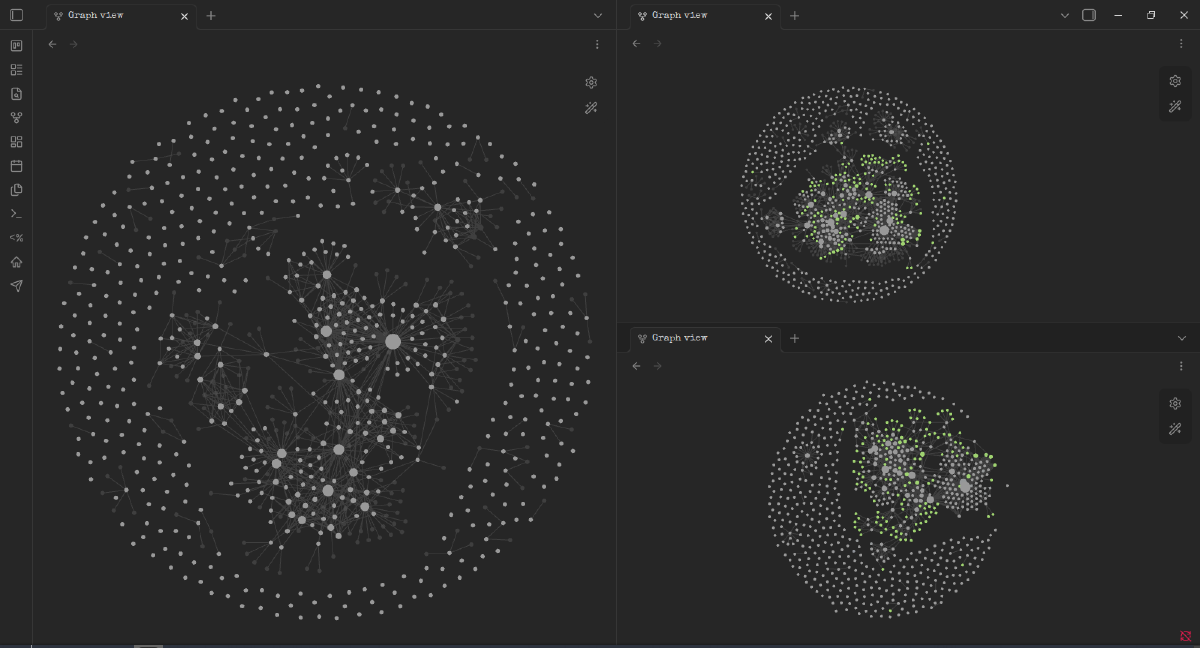
Late last year I started looking at AI agents, experimenting, building prototypes and generally learning new things. As this developed I bought myself an old ThinkPad laptop running Mint. I didn’t realise at the time the link to Ubuntu which I had previously used, but I did buy it in the 10 mins my partner was at the bar during an Ethel Cain gig, so maybe I was a little impulsive.
Then at the end of 2025 I started making plans for a homelab, and in early 2026 I built it, installed Proxmox and an Ubuntu VM, and started adding Docker containers using Portainer to organise them.
I had been writing notes mostly in Google Docs at this point. However, it didn’t feel organised. I kept losing notes and ideas, so I started looking for a notes-flavoured solution.
The first option in most of the lists/guides/reviews was pretty much Obsidian, with in-built sync across devices in the premium version. I downloaded it and started using it a bit and found that the vault structure had a number of really useful features.
The files were not in some proprietary format, or only accessed through a program or GUI. Yes, I have Obsidian on my devices and I mainly use this to read them, but they are all stored in .md files in regular folders.
As my self-learning advanced, I completed a Google.Skills badge in Terraform and Kubernetes to get some exposure to the next stages of my self-taught education, and as part of the course I started using… an Editor. I had installed VS Code when I first got my laptop, and when I first launched a VM Ubuntu Dev server. However, I never used it productively and stuck to hand typing in the terminal. While it was ok for a lot of different tasks, like SSHing into the virtual machines, or Bandits (OverTheWire), or both, it was only with this combination of friction that I started using an editor properly.
It was great, I had Obsidian on one screen, editor on another, making a list of what would happen and in what order. It really helped me organise myself to ensure my AWS costs stayed low (Currently they are around 9c and I have $120 credit on a free account, but I worry). However, when I started on my first Python reps something clicked: all my Obsidian files are .md, and can be opened (and previewed looking gorgeous) in VS Code.
Because the files are standard .md, this means I can have Claude Code (or CoWork) build folder structures or save outputs to folders. It uses fewer tokens to read and write .md files, and I can have Claude Code build a folder structure for its projects in my vault.
I also added a command in Claude Code labelled /obsidian. This creates a review of what’s been completed in that session and saves it and links it to relevant notes; both of these are checked with me after running the command. I had found myself manually asking for this at various stages of projects or learnings when I found myself wanting to end a session part way through, and formalising it in a skill has been incredibly useful. I also have a command to save everything currently happening in context to Obsidian so we don’t lose it as we are about to run out of usage and we will forget: “don’t ask questions and use up the context just do it quick and we can talk about it after.”
I ended up using Obsidian as a home for run books. I started out with little notes on things, some copied from websites or guides I had found, but eventually discovered that having an AI agent write run books to learn through doing was a good way for me to learn. This led to initially 10 AWS “reps” which were written and then saved into Obsidian directly. Working through these led to having more being written for what would be next, another 10 (later 13) reps that used terminal inputs instead of the AWS GUI. It was about rep 13 I realised I was now trying to combine a lot of information in a terminal and edit it, which wasn’t working, and typing by hand was a great way to initially learn up until you are installing Docker and want to install keychains.
The structure also allows me to have Claude CoWork come in and reorganise my files and notes and add in some links if I have been lazy, and update progress in any trackers I have.
I knew that I needed the notes on both my Mint and Windows laptops, otherwise I would lose ideas or repeat work like I had with the early Google Docs solution. The best free solution I could find was using Syncthing, so the first iteration ended up adding Syncthing to the homelab; this meant that both laptops could stay up to date with each other. I have also added Syncthing to my phone so that I can take my Obsidian notes and lessons with me wherever I go.
I also took the opportunity to add a local version of Gitea, and set up an automatic commit on the hour if there had been changes to the Obsidian vault. This gave me more protection from losing content with a laptop or syncing issue (or, as has happened several times, I use an AI-provided command which wipes a document or YAML file).
Additional steps for safety on top of Syncthing and Gitea are the occasional copy and zipping of my vault and moving it to a cloud provider. This means that in the very unlikely event I lose both laptops and home server, there’s something available to rebuild with.
So this is how I ended up with a Zettelkasten-format notes system, which can be viewed in my preferred coding editor, is available and synced across my three devices, and is used to efficiently manage my AI projects. This has all developed organically. However, since building it out like this, I came to discover how common this setup actually is. So I guess great minds think alike? Or maybe fools seldom differ.