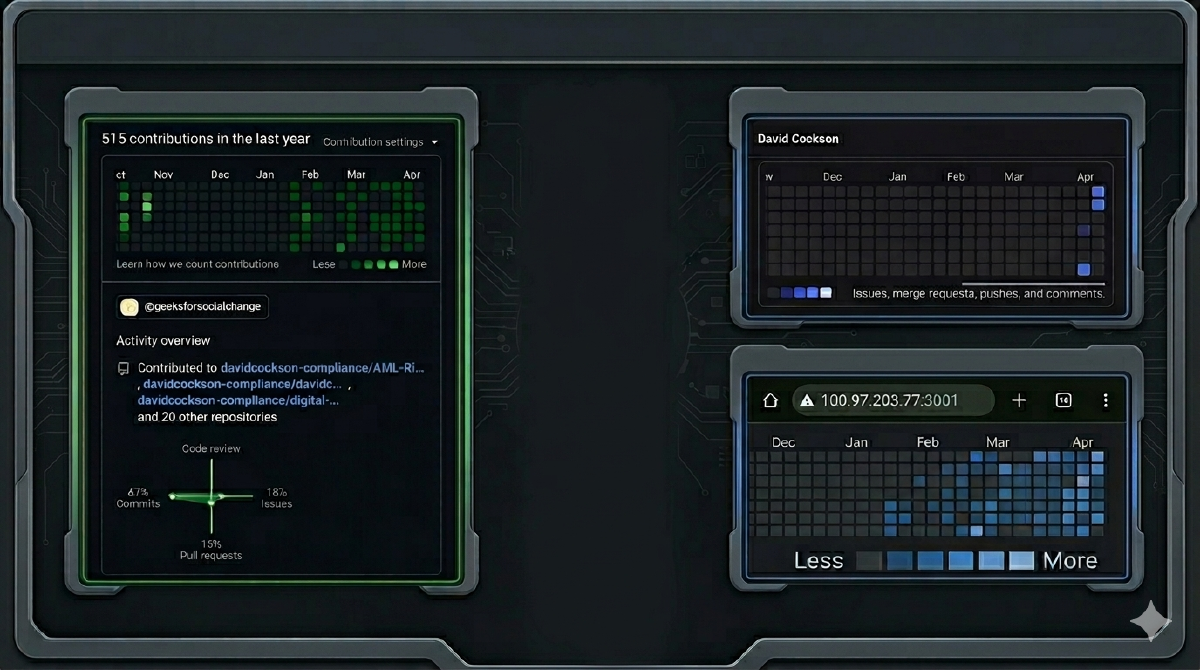
Git - Green, Blue and Purple?
GitHub is Green, Gitea is Blue, GitLab is Purple.
GitHub was my first account. It’s where I made my first repository; it’s where I used “click-ops” to add the folder structure and copy-pasted in the first HTML prototypes when I started vibe coding.
You can see in my commit history: September, October, and then at the beginning of November, it stops. There’s a gap that continues through to January 25th that matches with when I started researching, and then built, my home lab setup.
I use GitHub for my profile and to host my pinned repos that act as my portfolio. I used it for my first attempts at deploying to Portainer directly from GitHub, then deploying to Cloudflare to a free domain and fighting DNS.
When self-teaching AWS, I separated out a filter tool so that I could build, push, and pull my own containers. It’s where I first committed my own API keys and furiously rotated them with great urgency. I saved my Terraform files there and the first Python script I wrote myself.
I created Git practice guides to learn the commands, but they didn’t really take. Something else helped, though.
My Hugo blog, the one you are reading now? It’s godlike. I create the file, review the article on a local server, and then commit. It deploys to Cloudflare through Workers and updates automatically.
The entire CI/CD process every time you write or edit an article is great. It’s the same for my homepage and the /cv addition. This is when I started getting more confidence. I now deploy two tools to subdomains—my blog, my homepage, and my CV—all updating when I merge the pull request (or just commit directly to main…). It has repos for my home lab, monitoring, and LLM projects.
It’s also what I use to contribute to the organisation I volunteer with. My first ever contribution was the infra mapping and an update to their workbook regarding the current structure and suggested monitoring changes.
I also use an Obsidian vault as a comprehensive learning resource, notes system, and book repository, but also to power my “Vault Runner” LM project. The same vault is shared across two laptops, a German cloud server, my home lab, and my phone using Syncthing and Tailscale.
Due to how much I use it, and how risky some of the tools and processes are (frequently letting Claude Code into my vault with no restrictions when building), I wanted additional protection. Gitea is my answer. It’s self-hosted on my home lab and a commit is made every hour when a change is noticed. It’s quite well protected and gives me version control and a safety net in case I again agree that “yes, it’s fine to just copy text into those YAML files” and wipe out my entire homepage setup or whatever other precious resource…
So, when it came to the LLM runner and automating testing, I didn’t want to risk my precious Obsidian vault on Gitea or my multiple production projects on GitHub. To reduce the blast radius, I wanted to ensure an air gap. This gave me a great opportunity to use my created, but previously unloved, GitLab account. It’s well known for being the better choice for automating pipelines with testing, and it gave me an opportunity to get exposure to the differences in how it could be set up and run.
So that’s what I have, how I use it, and how I noticed that GitHub is Green, Gitea is Blue, and GitLab is Purple.
What other colours are there?